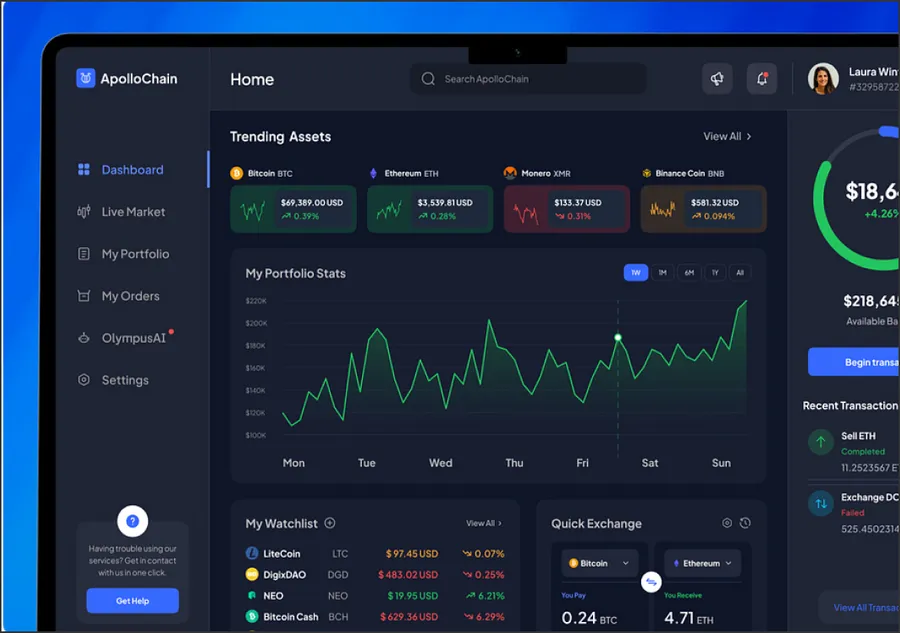


Frontend development services cover the parts of a website or web app that people see and use: pages, components, forms, dashboards and the code that makes them fast. We build product frontends and marketing sites for startups and companies replatforming their web stack, and we choose the framework per project instead of using one for everything.
What our frontend development work covers
- Product frontends: SaaS apps, customer portals and dashboards, usually in React and TypeScript.
- Marketing and content sites that editors change from a CMS without a deploy.
- Framework migrations, such as a React SPA moved to server rendering, or a legacy theme replaced by a modern stack.
- Design-system work: shared components, tokens and documentation.
- Performance and accessibility audits that end in shipped fixes.
Which frontend framework do we use, and how do we pick?
We look at three things: how much of the site is public and must rank, how interactive the screens are, and what your team already knows. The table shows where each option fits.
| Framework | Best for | When we would not use it |
|---|---|---|
| Next.js | Products that mix public pages with logged-in screens, and content that changes often | A small static site where its caching and server layer add work for nothing |
| Astro | Content and marketing sites, docs, blogs, with interactive islands only where needed | App-like products with a lot of shared client state |
| React SPA (Vite) | Admin panels, internal tools and apps behind a login | Pages that need search traffic or a fast first load for new visitors |
| Nuxt (Vue) | Teams already on Vue who need server rendering | A team with React experience and no Vue code |
| Angular | Large enterprise apps with many teams and an existing Angular codebase | Marketing sites or small products, where it is more structure than needed |
| SvelteKit | Small, fast apps where a team likes Svelte and bundle size matters | Projects that must hire quickly from a large pool of developers |
For deeper side-by-side reads, see our comparisons of Next.js vs Astro vs Remix, React vs Angular vs Vue and Next.js vs Nuxt.
We rarely recommend changing frameworks only because a newer one exists. A migration pays off when the current setup blocks something concrete: search traffic, page speed, hiring or editor independence.
Performance and Core Web Vitals
Google measures page experience with three Core Web Vitals: Largest Contentful Paint (LCP), Interaction to Next Paint (INP) and Cumulative Layout Shift (CLS). We set a target for each template and check it again after every release that touches it.
Our usual sequence: read field data for the main templates, profile the slowest ones, then fix the causes. Most problems come from a short list: too much JavaScript on pages that do not need it, images without set sizes, data fetched in the browser that could arrive with the HTML, and third-party scripts loaded too early. Our web performance services page goes deeper into audits and budgets.
Accessibility
We build accessibility in from the first component and work to WCAG 2.2 level AA: semantic HTML, keyboard access for every control, visible focus states, labelled forms, enough colour contrast and components that announce changes to screen readers. We test with automated checks in CI and by hand with a keyboard and a screen reader on the main flows. For audits of an existing site, see our web accessibility services.
Design-system and component work
When several teams build on one product, components drift: three button styles, two date pickers, forms that validate differently. We build shared component libraries on accessible primitives, document them in Storybook and connect them to design tokens, so design and code use the same names. For a full program with governance and Figma parity, we run design systems as a separate engagement.
Frontend for a headless CMS
Many of our frontend projects sit on top of a headless CMS such as Payload, Sanity, Contentful or Strapi. The frontend work there is specific: page templates driven by content blocks, live preview so editors see changes before publishing, rebuilds or revalidation when content changes, and redirects kept in step with the CMS. If you are new to this setup, start with what Jamstack is, then see our Jamstack development services.
Proof: an Astro marketing site for a B2B SaaS
A US-based Series-B B2B SaaS had a marketing site built as a single-page React app. It shipped a large JavaScript bundle on every visit, LCP passed four seconds on mid-range devices, and the marketing team filed tickets for layout changes. We rebuilt it in Astro with static pages, interactive islands for the pricing calculator and demo form, and a block-based page composer for editors.
| Metric | Result |
|---|---|
| LCP | 1.4s (down from 4.2s) |
| Lighthouse performance score | 98 |
| Full build and deploy time | ~4 min |
Read the Astro Jamstack case study.
How we work
- Audit. We review the current code, routes, analytics and Core Web Vitals, and agree what success looks like.
- Architecture. Framework, rendering per route, CMS, hosting and the component plan, written down before the build.
- Build in short increments, with preview deployments for every change so you review working pages.
- Launch with checks: redirects, SEO parity, accessibility and performance tested against the old site.
- Handover or support. Documentation and training, then either a full handover or a support retainer.
Talk to our frontend team
Book a call and tell us what you run today and where it hurts. If you already know you need people rather than a project, you can hire frontend developers who join your sprints.