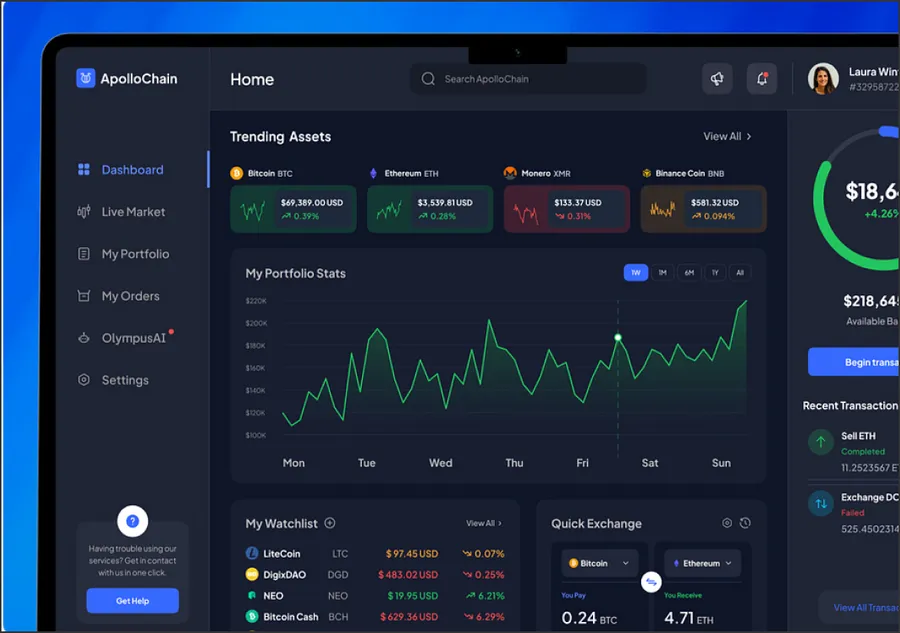
React development services cover the part of a product people click on: web apps, dashboards, admin tools and the component libraries behind them. We build new React apps, modernize legacy React codebases without a feature freeze, and move public pages to Next.js when they need server rendering.
This page is about React itself: what we build with it, which tools we pick and why, and when we would steer you to something else. If your project is mainly a framework decision, our Next.js development page covers routing, caching and hosting in detail.
What do React development services include?
Most React work we take on falls into five kinds, and many projects combine two.
New web apps and SaaS frontends
Customer portals, SaaS products, booking flows and internal tools. We write them in TypeScript from the first commit, agree the API contract with your backend team before screens are built, and set up tests and preview deployments in week one.
Dashboards and data-heavy interfaces
Analytics panels, admin consoles and reporting screens are where React apps tend to slow down. Each panel fetches its own data, state leaks between components, and the bundle grows with every release. We split the dashboard by section, give every panel its own cached query, and keep charts in one shared layer so they render the same way everywhere.
Design-system components
A product with several teams needs one set of buttons, forms, tables and dialogs. We build component libraries on accessible primitives such as Radix, document them in Storybook and publish them as a package your teams install. For a full system with tokens, governance and Figma parity, see our design system agency page.
Modernizing class components and legacy SPAs
Older React apps often carry class components, lifecycle methods, Redux boilerplate and a build set up with Create React App, which the React team deprecated in 2025. React 19 also removed ReactDOM.render, string refs and legacy context, so many apps need cleanup before they can upgrade. We move them to function components and hooks, Vite or Next.js, and current data fetching, one section at a time.
React Server Components through Next.js
Server Components render on the server and send HTML instead of JavaScript, which helps data-heavy pages and public pages that must rank. In practice they arrive through a framework, and for us that framework is usually Next.js with the App Router. We decide per route which parts stay on the server and which need client interactivity.
When is React the right choice, and when is it not?
React is our default for interactive products. For plain websites we often pick something lighter.
| Situation | What we recommend | Why |
|---|---|---|
| Logged-in app, dashboard or internal tool | React with Vite | No SEO need, fast builds, simple hosting as static files |
| Product with public pages that must rank | React through Next.js | Server rendering and static pages where search traffic lands |
| Content or marketing site with little interactivity | Astro, with React islands where needed | Ships far less JavaScript than a React SPA |
| Simple forms and server logic, small team | Plain server rendering | Fewer moving parts, no client state to manage |
| Team already invested in Vue or Angular | Stay with that framework | A rewrite for the sake of React rarely pays back |
If you are still choosing a library, our comparisons of React vs Vue and React vs Angular go through learning curve, ecosystem and hiring for each.
Which state, data fetching and testing tools do we use?
We keep the default stack small and change it only when the product needs it.
| Concern | Our default | When we choose something else |
|---|---|---|
| Server data | TanStack Query (React Query), or Server Components in Next.js | SWR when the app already uses it |
| Client state | Local state and context, Zustand for shared state | Redux Toolkit for large existing Redux apps or complex undo and offline flows |
| Forms and validation | React Hook Form with zod schemas | Native forms with Server Actions on simple Next.js pages |
| Components | Radix primitives or shadcn/ui, Storybook | Your existing library, if it is in good shape |
| Unit and component tests | Vitest and React Testing Library | Jest when the project already runs it |
| End-to-end tests | Playwright on the main user flows | Cypress if your QA team already owns a suite |
Most bugs we fix in inherited React apps come from server data stored in global client state. Once a query library owns caching and refetching, the global store usually shrinks to a few values like the current user and UI preferences.
How do we make React apps fast?
We measure first. Lighthouse runs on the main routes and field data from real users show where time goes, usually in Largest Contentful Paint and Interaction to Next Paint. The fixes we apply most often:
- Split the bundle by route and section, so rarely used admin screens load only when someone opens them.
- Cache server data per component, so moving between views does not refetch everything.
- Move rendering to the server for pages where first load matters, through Next.js and Server Components.
- Cut re-renders by keeping state close to where it is used. The React Compiler now handles much of the memoization teams used to write by hand.
- Reserve space for charts, images and late content, so the layout does not shift as data arrives.
Proof: a healthtech analytics dashboard rebuilt in one quarter
A European Series-B healthtech analytics scale-up had a React dashboard that had grown over four years of patching. The bundle was over 1.8 MB uncompressed, LCP was above four seconds on a mid-range device, and new clinical metrics took weeks to ship. A full rewrite and a long feature freeze were both off the table.
We introduced a composable component library on Radix primitives, moved data fetching to React Query with per-panel caching, split the bundle by dashboard section and released every change behind feature flags.
| Metric | Result |
|---|---|
| LCP | ~60% reduction (4.1s to 1.6s) |
| Component count | ~55% reduction |
| New panel time to ship | 3x faster |
The case study notes these figures are directional, based on Lighthouse testing across a sample of routes. Read the full React dashboard rebuild for a healthtech scale-up.
How we staff a React project
The engineers who scope the work are the engineers who build it. A typical setup is one senior React engineer leading the frontend, with more developers added as the backlog grows, and a designer or QA engineer when the scope calls for one.
You can work with us in three ways:
- A fixed-scope project, such as a dashboard rebuild or a component library, scoped after a short audit.
- A dedicated team that owns a product area. Our dedicated React app development team page explains how that is set up.
- Individual engineers who join your sprints. If you need people rather than a project, hire React developers directly.
Rates for React engineers sit in the $50 to $150 per hour range, depending on seniority.
What drives the cost of a React project
We quote after seeing the code or the designs. The drivers:
- Number of screens and states, including empty, error and loading states for each.
- The state of the existing code: test coverage, the number of global stores and how far the React version lags behind.
- Integrations, such as auth, payments, analytics and the APIs the app depends on.
- Accessibility and browser support targets agreed at the start.
- Test depth, from unit tests on shared logic to end-to-end coverage of every main flow.
We also build custom rich text editors on Slate, for products where a plain textarea or a stock editor is not enough.
Talk to a React team
Send us a link to the app or a short description of what you want to build. Book a call and we will come back with the questions an audit needs to answer, and a rough shape of the work. React is one part of our broader Jamstack and frontend work, so the same team can also handle the CMS, the hosting and the rest of the frontend stack.