













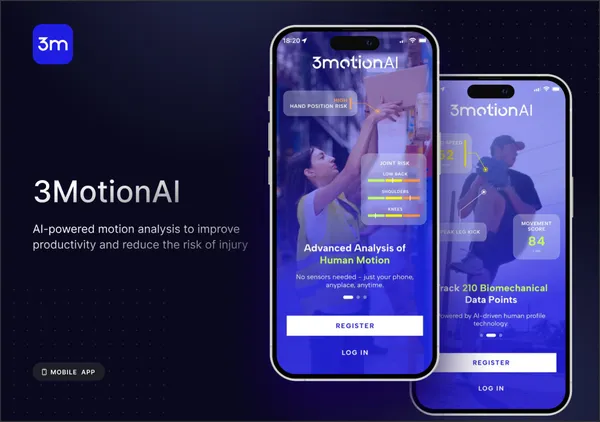
Transforming Motion Analysis with Cutting-Edge AI-Powered iOS Technology
Case study — an AI-powered iOS platform delivering motion analysis for healthcare, sports, and fitness teams to boost performance and prevent injuries.
Hire Plasmic Developer to deliver agile, headless content solutions. Elevate your digital strategy with expert, scalable CMS integration.


You can hire proficient in delivering high-quality and user-optimized frontend solutions that match all the project's goals and challenges.

Our software engineers will examine the existing software solution and technology stack to advance it with and execute the migration to newer frameworks, ensuring high performance and quality.

To unlock new value from your software, we review its infrastructure, rewrite or rebuild its modules and functionality, ensuring accurate and rapid optimization to preserve your product's power.

Quickly hire a Plasmic Developers to fill in a project's skill gaps and integrate them into the workflow.

Hire Plasmic Developers to augment your team with extra skills without committing to lengthy staff employment.

We can lend you Plasmic Developers, QA and DevOps engineers, UX/UI designers, and any expertise required.
Hire Plasmic Developers to get the right specialists that will cater to the needs of your project fast. Apply to us, and we’ll get back to you to define all the requirements to candidates.
Our development team applies thoroughly-tested practices to implement mobile and web solutions, maximizing the value of the product.
Our development team applies thoroughly-tested Plasmic CMS practices to implement mobile and web solutions to maximize the value of the product.
We'll schedule a call and understand your requirements and devs you need to hire.
Get selected candidates who have been thoroughly evaluated in just a few days.
Get a list of devs who match the best. You select the developers you like.
We contact selected devs in 48 hours. You interview & choose the best one.
Case study — an AI-powered iOS platform delivering motion analysis for healthcare, sports, and fitness teams to boost performance and prevent injuries.
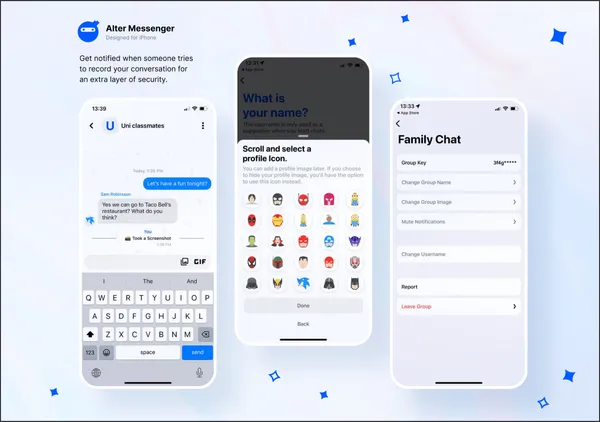
Case study — Alter Messenger, a privacy-first messaging app with end-to-end encryption, secure file sharing, and a smooth cross-device experience.
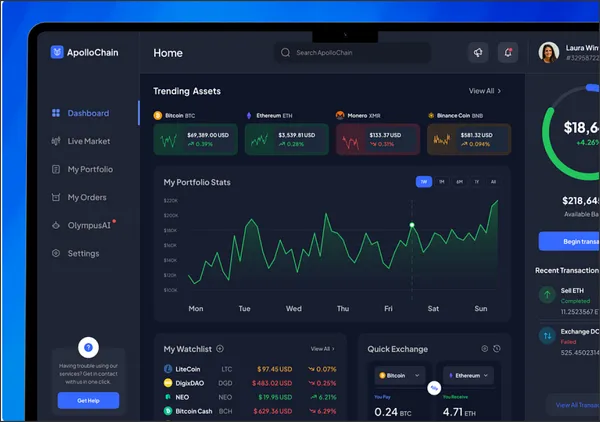
Case study — Apollochain, a secure blockchain-based crypto trading platform with intuitive UX built for fast, efficient, and informed trades.
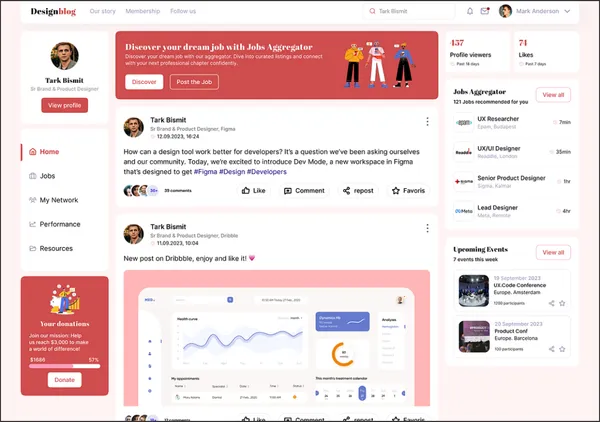
Case study — a curated design blog delivering inspiration, creative techniques, and trends to designers through a clean, content-first interface.
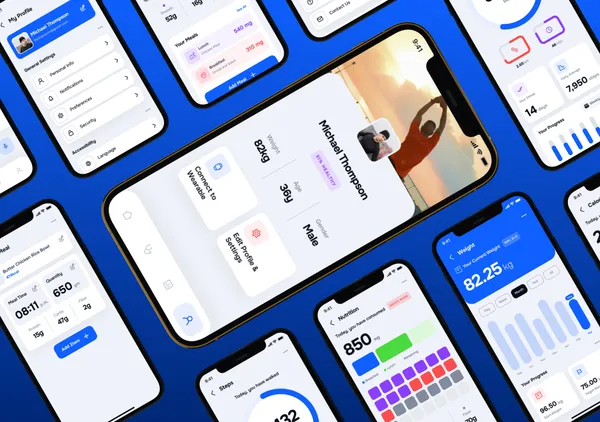
Case study — Salvus, a health and fitness app with personalized workout plans, nutrition guidance, and progress tracking for goal-driven users.
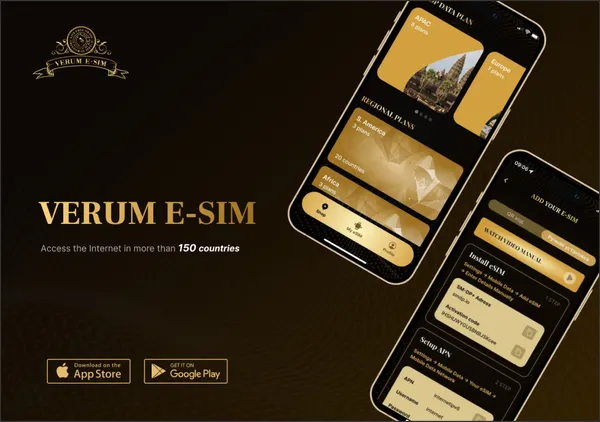
Case study — Verum, an eSIM app providing instant global internet access with simple activation, flexible plans, and reliable cross-region coverage.
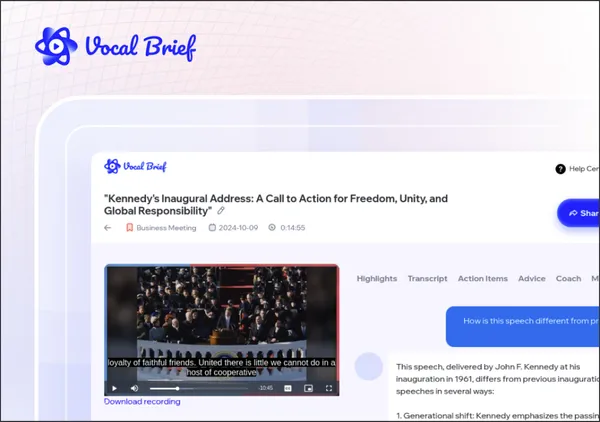
Case study — Vocal Brief, an AI app turning training videos and lectures into transcripts, summaries, and highlights for faster team collaboration.







Hiring a Plasmic developer means integrating a visual design and content management tool that generates production React code from a drag-and-drop interface. Plasmic does not replace your codebase — it plugs into it. Designers and content editors build pages visually using your registered React components, and Plasmic generates the composition layer that renders in your application.
The complexity is in the boundary: which components are Plasmic-managed, which are code-managed, and how data flows between them. Without clear separation, teams end up with pages that partially render from Plasmic and partially from code, creating debugging nightmares and inconsistent behavior.
We implement Plasmic with explicit boundaries between visual composition and application logic — ensuring both designers and developers work productively without stepping on each other.
Plasmic works with two types of components: those designed in Plasmic’s visual editor and code components registered from your codebase. Code components appear in the visual editor as configurable building blocks. The registration quality determines whether the visual editor is useful or frustrating.
We architect Plasmic integrations with:
The visual editor is only as good as the components it can access. Registration is the product.
Plasmic pages often need dynamic data — from a CMS, database, or API. Plasmic provides data fetching capabilities and component-level data binding, but pushing complex data logic into the visual editor creates fragile, hard-to-debug pages.
We handle Plasmic data integration by:
Data should flow into Plasmic pages from your application — not be fetched independently inside the visual editor.
Plasmic is a powerful tool for empowering design and content teams to ship visual changes without developer deployments. But it requires a clear architectural contract between what the visual editor controls and what the codebase controls.
We approach Plasmic development as integration architecture — defining component boundaries, data flow patterns, and rendering strategies that make visual page building productive without creating a maintenance burden for the engineering team.
See what our clients say about working with Alpina Tech
I had the opportunity to work with Alpina Tech and the experience was very positive. He successfully achieved the goals set, demonstrating talent and commitment at every stage of the work. Moreover, he was always attentive to my instructions and consistently available, which grea...
I had the opportunity to work with Alpina Tech and the experience was very positive. He successfully achieved the goals set, demonstrating talent and commitment at every stage of the work. Moreover, he was always attentive to my instructions and consistently available, which greatly facilitated communication and the development of the project. I highly recommend his work without hesitation.
Working with Alpina Tech on a headless CMS project built with Strapi, Node.js, and Next.js was a great experience. His deep understanding of modern frontend frameworks, API development, and server-side rendering (SSR) ensured a smooth and efficient development process. Alpina Tec...
Working with Alpina Tech on a headless CMS project built with Strapi, Node.js, and Next.js was a great experience. His deep understanding of modern frontend frameworks, API development, and server-side rendering (SSR) ensured a smooth and efficient development process. Alpina Tech showcased excellent React.js and Next.js skills, implementing dynamic UI components with optimal performance and seamless API integrations. His expertise in RESTful and GraphQL APIs, combined with a solid grasp of backend development in Node.js, made the project highly scalable and maintainable. Additionally, his proficiency in frontend optimization, component-based architecture, and responsive design ensured that the final product was both fast and user-friendly. I highly recommend Alpina Tech to anyone looking for a skilled full-stack developer who excels in headless CMS solutions, Next.js development, and API-driven web applications.
I hired Alpina Tech to build a custom Hugo website. He was a pleasure to work with. He took the time to understand exactly what I wanted at the beginning of the project, and he then proposed a much better way of achieving that. He communicated regularly, provided clear and timely...
I hired Alpina Tech to build a custom Hugo website. He was a pleasure to work with. He took the time to understand exactly what I wanted at the beginning of the project, and he then proposed a much better way of achieving that. He communicated regularly, provided clear and timely updates, offered ongoing support with my website, and took a 'customer first' approach. Overall, I'm really happy with the website and I would definitely work with Alpina Tech again if I need more web development in the future.
Alpina Tech was incredibly helpful and a pleasure to work with! He not only assisted with improving the SEO of my startup but also fixed a challenging Sanity bug with great patience and professionalism. His expertise and attention to detail were invaluable, and he did an excellen...
Alpina Tech was incredibly helpful and a pleasure to work with! He not only assisted with improving the SEO of my startup but also fixed a challenging Sanity bug with great patience and professionalism. His expertise and attention to detail were invaluable, and he did an excellent job overall. Highly recommended!
Alpina tech did a good job during the discovery phase of our project
Alpina Tech is not only a very talented dev, but he's a fantastic partner who has a rich business acumen and is quick to complete anything you throw at him. He knocked out work in a single day that I wasn't expecting for a week. Will definitely work with him again.
Alpina Tech always responded promptly and got a lot done in the limited environment we had. If things weren’t clear, he’d message and make sure he has the scope right. I highly recommend him for full stack development.
I had the opportunity to work with Alpina Tech on the design of several landing pages and a UI kit, and I couldn’t be happier with the results. He managed to deliver high-quality designs in a very short time. The landing pages were beautifully crafted, and the UI kit was exactly...
I had the opportunity to work with Alpina Tech on the design of several landing pages and a UI kit, and I couldn’t be happier with the results. He managed to deliver high-quality designs in a very short time. The landing pages were beautifully crafted, and the UI kit was exactly what we needed to streamline the project. On top of that, he generously created ad banners at no extra cost, which was a great bonus. Throughout the entire process, communication was smooth, and he was always quick to make adjustments based on my feedback. I’m thrilled with the final outcome and would definitely love to work with him again. Highly recommend!
We worked with Alpina Tech, a top-tier Apple ecosystem developer specializing in Swift, SwiftUI, UIKit, and Combine. Delivered a seamless, high-performance app with Core Data, iCloud Sync, AVKit, MapKit, and Push Notifications. Optimized for iOS, watchOS, and macOS, ensuring smoo...
We worked with Alpina Tech, a top-tier Apple ecosystem developer specializing in Swift, SwiftUI, UIKit, and Combine. Delivered a seamless, high-performance app with Core Data, iCloud Sync, AVKit, MapKit, and Push Notifications. Optimized for iOS, watchOS, and macOS, ensuring smooth performance and App Store compliance. We were very happy with the outcome of the app we commissioned to develop and look forward to working again with this developer.
I had the pleasure of working with Alpina Tech on the UI/UX design for my public website, and I am extremely impressed with his work. He significantly expanded and improved upon the original design I already had, seamlessly integrating enhancements that perfectly matched the exis...
I had the pleasure of working with Alpina Tech on the UI/UX design for my public website, and I am extremely impressed with his work. He significantly expanded and improved upon the original design I already had, seamlessly integrating enhancements that perfectly matched the existing style. His ability to develop great-looking features while staying true to the original concept was remarkable. Communication with Alpina Tech was excellent throughout the project. He was responsive and accommodating, making several tweaks based on my requests to ensure everything was just right. I am thoroughly satisfied with the outcome and wouldn't hesitate to collaborate with him on future projects. Highly recommend!
Working with Alpina Tech was a great experience. He is knowledgeable and delivers high-quality work. The agency boasts a wide range of talent, making it a good choice for various projects. Communication was consistently excellent, and Alpina Tech ensured that every aspect of the...
Working with Alpina Tech was a great experience. He is knowledgeable and delivers high-quality work. The agency boasts a wide range of talent, making it a good choice for various projects. Communication was consistently excellent, and Alpina Tech ensured that every aspect of the project worked as expected. The work was completed on time, which was greatly appreciated. I highly recommend both Alpina Tech and the agency for future collaborations.
Alpina Tech and the team have completed the design quickly and it looks great. They are very responsive and were able to quickly make adjustments that I have requested.
Alpina Tech is awesome, he fixed a complicated bug on VPN iOS app in two hours.
Tyler V.
Alpina Tech did an excellent job guiding us through the process and helping us achieve our project goals.
Alpina Tech helped us launch a research project website. Thank you for being available on short notice!
I had the pleasure of working with Alpina Tech on leadership and technical projects. The team is highly motivated, strategically minded, and has exceptional technical SEO expertise. Their approach significantly boosted our digital presence. I highly recommend Alpina Tech for engi...
I had the pleasure of working with Alpina Tech on leadership and technical projects. The team is highly motivated, strategically minded, and has exceptional technical SEO expertise. Their approach significantly boosted our digital presence. I highly recommend Alpina Tech for engineering and leadership-driven projects – a truly valuable partner.
Alpina Tech demonstrates all the right qualities of a strong development team – deep frontend expertise, great communication, and a proactive work attitude. A reliable partner for any technical project.
Alpina Tech is a very professional and reliable team. Working together on web projects was extremely successful. The team showed strong technical knowledge and excellent organizational skills.

Get a lightning-fast, SEO-optimized, high-performance web app for:



Form was sent to our team. We will contact you soon.
Tell us about your project and we'll get back to you with an estimate.
Get a lightning-fast, SEO-optimized, high-performance web app for: