We build React Native apps for teams that already think in React and TypeScript, and for products that need iOS and Android from one codebase. This page covers how React Native works today, when we pick it, the stack we run, and how we ship updates safely. Where the choice is between frameworks, see our React Native vs Flutter comparison; for the full platform picture, see mobile development.
When is React Native the right choice?
React Native fits when:
- Your web team writes React, so mobile can share people, patterns, API clients and validation logic.
- The app is made of lists, forms, maps, chat, payments and notifications rather than custom drawing.
- You want to fix bugs between store releases through over-the-air JavaScript updates.
- Time to first release matters more than a bespoke rendering layer.
It fits less well when the product depends on a graphics-heavy custom interface, which is where Flutter is stronger, or on deep platform features that need most of the app written in Swift or Kotlin.
How does React Native work today?
React Native renders real platform views, not a drawing of them, so lists, inputs and navigation look and behave like each system’s own. The current architecture replaced the old asynchronous bridge with JSI, which lets JavaScript call native code directly, and Fabric, the renderer. That removes serialization delays and allows synchronous layout reads. When we inherit apps built on the old architecture, migrating is a planned piece of work, because every native library in the app must support the new one.
What stack do we use?
| Concern | Our default | Notes |
|---|---|---|
| Tooling | Expo with development builds | Bare React Native when a custom native setup is unavoidable |
| Language | TypeScript, strict mode | Types shared with the backend where we can |
| Navigation | React Navigation or Expo Router | |
| Server data | TanStack Query | Caching and retry in one place |
| Client state | Zustand | Redux Toolkit for large existing apps |
| Lists | FlashList for long lists | Keeps scrolling smooth on mid-range phones |
| Local data | SQLite for offline needs, secure storage for tokens | |
| Testing | Jest, React Native Testing Library, Maestro or Detox | End-to-end flows on real builds |
| Release | EAS or Fastlane | Signing and upload scripted |
A custom native module is occasionally needed for a payment SDK, a Bluetooth device or a camera feature. We write it in Swift and Kotlin and expose it to JavaScript, so a native gap does not force a native rewrite.
How do over-the-air updates work, and what are the limits?
JavaScript and asset changes can be delivered to installed apps without a new store review, through Expo’s update service or a self-hosted one. Native code changes, new permissions and new native libraries still need a store release. Both stores restrict what an update may change: it cannot alter the app’s purpose or bypass review. We use over-the-air updates for fixes and copy changes, version them against the native binary, and keep rollback ready.
How do we test on real devices?
We test release builds, not development builds, on physical iPhones and a spread of Android phones that includes low-memory models. We profile startup time, JavaScript thread load and list scroll, since those are where React Native apps usually slow down. Crash and error reporting is wired in before the first beta, and releases go through TestFlight and Google Play testing tracks before a staged rollout.
What does a React Native app cost to own?
Scope sets the price. For React Native the cost drivers are: the number of native SDKs to integrate, how much of the design departs from standard components, offline and sync requirements, and the upgrade cadence for React Native and Expo versions, which belongs in the maintenance budget. The mobile app cost guide gives ranges by app type, and we give a written estimate after a scoping call.
What have we built in React Native?
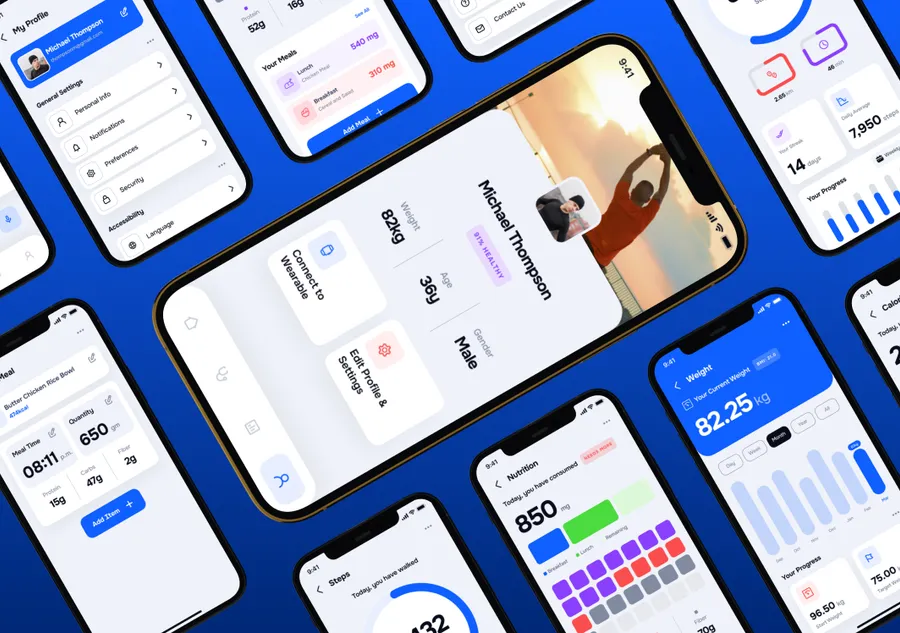
A European fitness healthtech brand at Series-C+ had separate iOS and Android codebases. We moved roughly 80,000 lines of split Swift and Kotlin into one React Native project behind feature flags, with offline-first workout flows stored in SQLite. Cold start fell to 1.4s from 3.8s, and release cycle time dropped by about 60%. See the fitness app case study.
An APAC seed travel startup needed a working booking app fast. We shipped iOS and Android from one codebase, 8 weeks from kick-off to both app stores, with an estimated cost about 40% lower than dual native. See the travel MVP.
How can you add React Native engineers?
Hire mobile developers who know React Native, or work with a dedicated mobile team. If your web developers will share the codebase, our React development page covers that side. Rates are $50 to $150 per hour depending on seniority and role.